Quotes in 2 minutes and your jobs under control
ObraFácil is the program for self-employed tradespeople: you make the quote with your logo, send it via WhatsApp, and know where every job stands and who owes you money.
ℹ️ For now, the app is in Spanish. ObraFácil is designed for self-employed workers in Spain (quotes with Spanish VAT).
The trial is free: the code is applied automatically at checkout (if it isn't, type ).
No commitment · From €6.58/month with the annual plan · Secure payment with Creem
⬇ The download is free. To use the program you need a licence: with the free trial you get one instantly, by email.
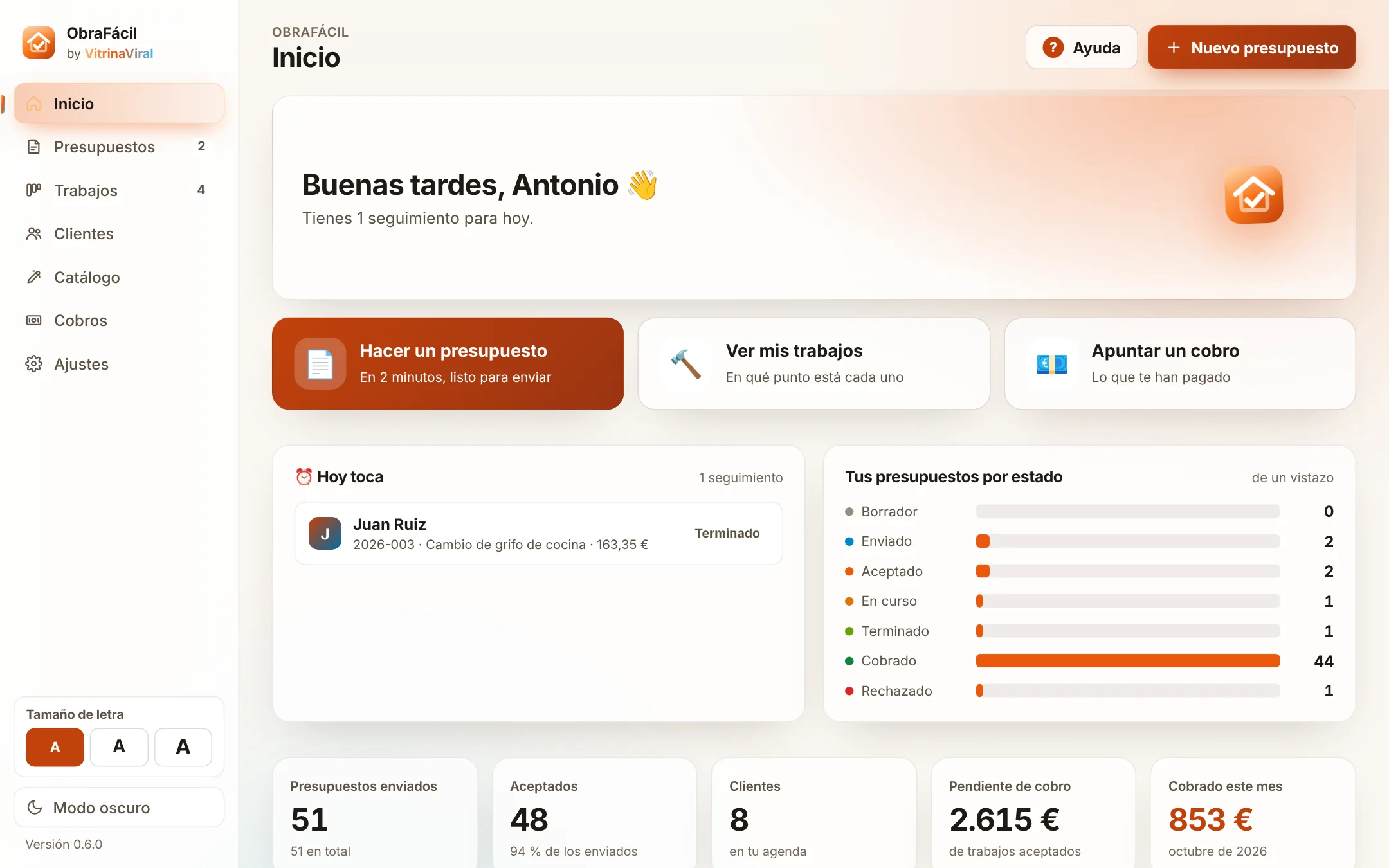
Your thing is the job. Not the paperwork.
Quotes by hand at night, notes on your phone, clients you forget to call… and at the end of the month you're not quite sure who owes you what.
Quotes that steal hours
Doing them in Word or by hand, working out the VAT and turning them into PDFs eats into your working or resting time.
Clients who go cold
You send the quote and never call back. Someone else does, and gets the job.
Payments that get forgotten
Deposits, payments on account and what's still owed: if you don't write it down, it gets lost.
Notebook and Excel vs ObraFácil
| Task | Before | With ObraFácil |
|---|---|---|
| Make a quote | By hand or in Word, working out the VAT and turning it into a PDF | You pick jobs from your catalogue and out comes the PDF with your logo |
| Send it | Write the message and look for the file | WhatsApp or email opens with the message already written |
| Follow up with the client | You remember… or you don't | "Due today" reminds you who to call after 3 days |
| Get paid | Loose notes and sums done in your head | Part payments and what's outstanding, at a glance |
| Your paperwork | Scattered across notebooks, your phone and folders | Everything in one place, on your computer and with backups |
From quote to payment in 4 steps
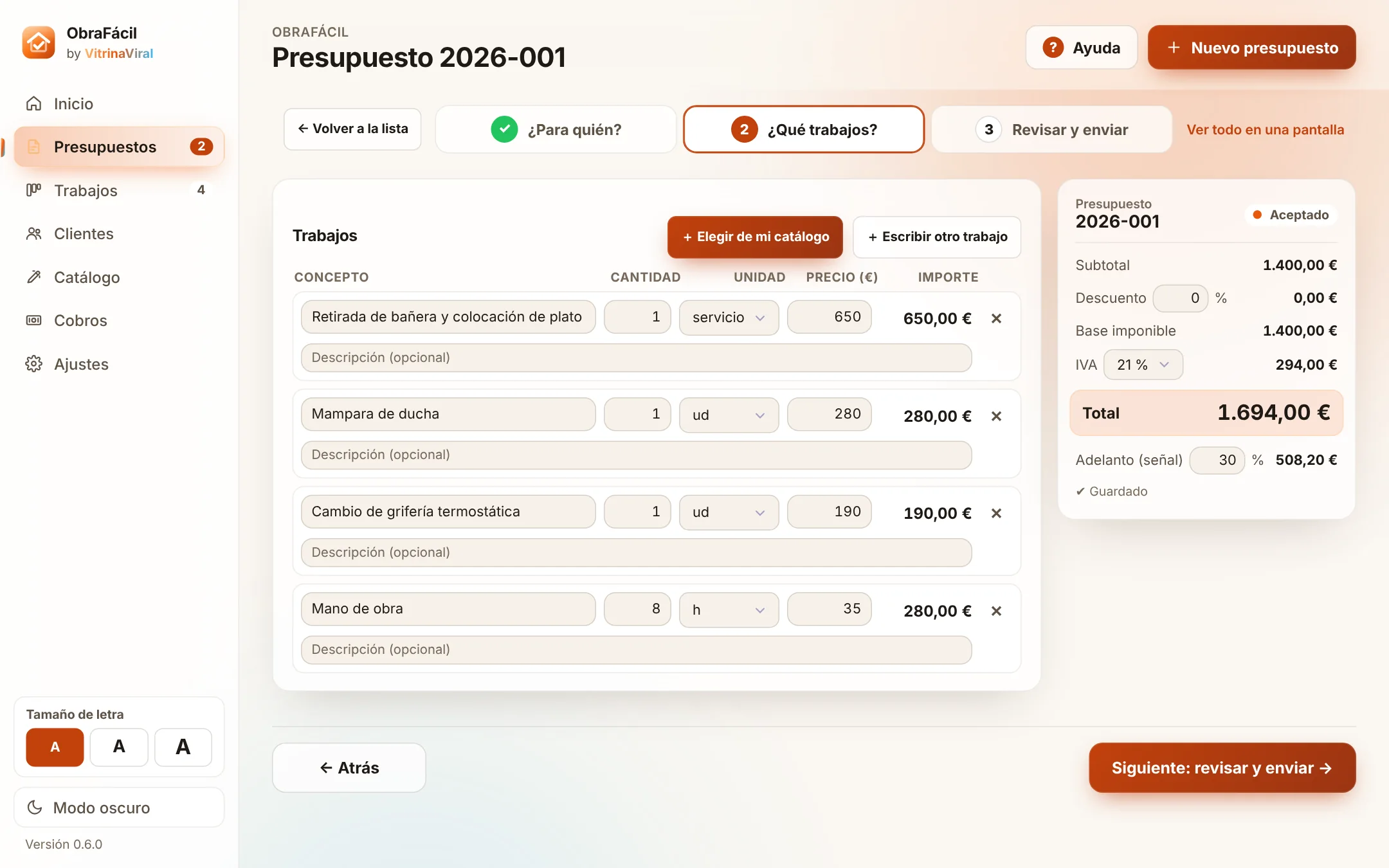
Make the quote
Step by step: choose the client, add jobs from your catalogue with one click and the app works everything out instantly.
- Catalogue with sample jobs for your trade (you set the prices)
- Discount, VAT (21, 10, 4 or 0%) and advance or deposit
- Duplicate a previous one and it's done in seconds
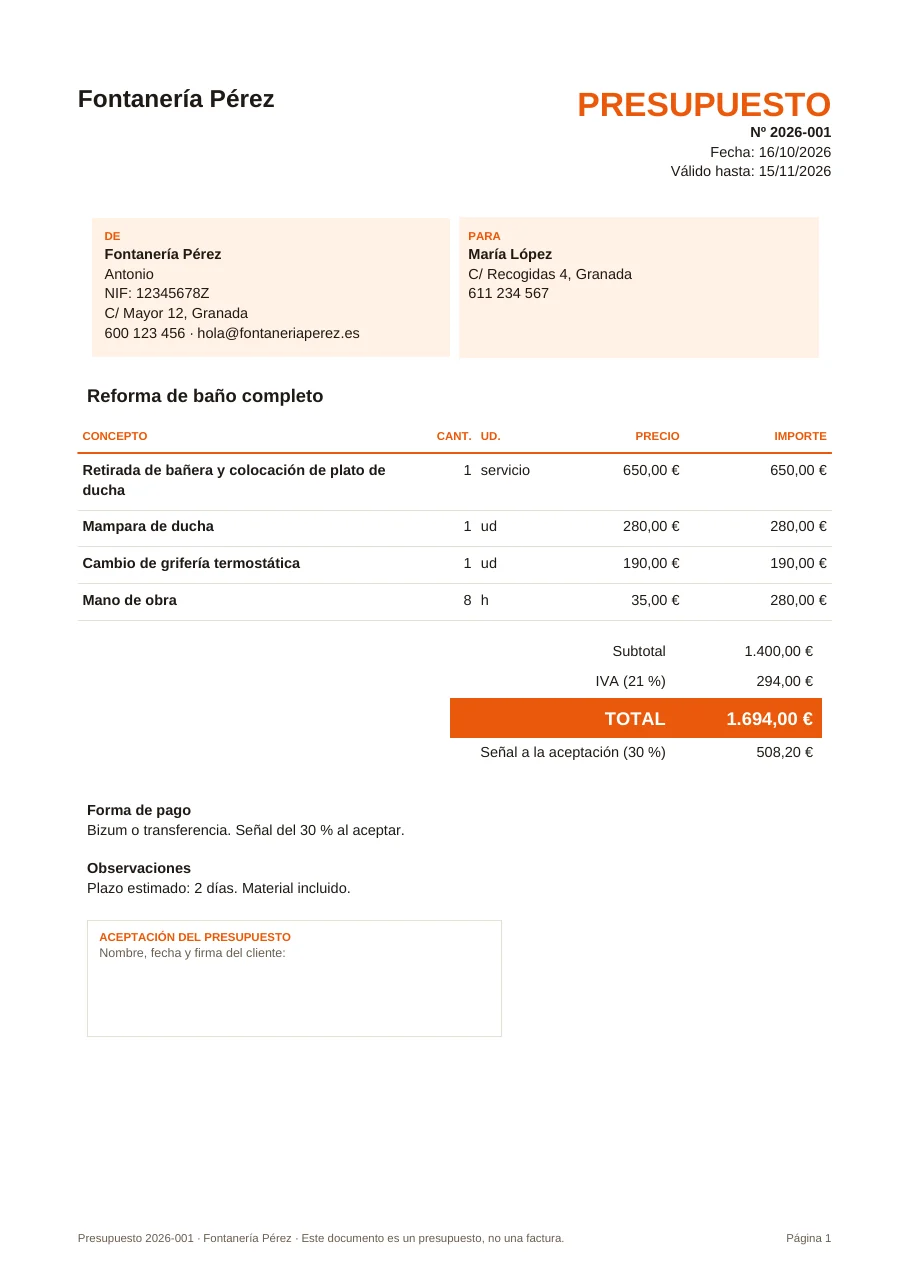
Send it with your logo
You get a professional PDF with your details, your logo and a signature box for the client. WhatsApp or your email opens with the message already written.
- Clear PDF: jobs, totals, payment method and terms
- WhatsApp message ready for each client
- It's marked as "Sent" and reminds you to call after 3 days
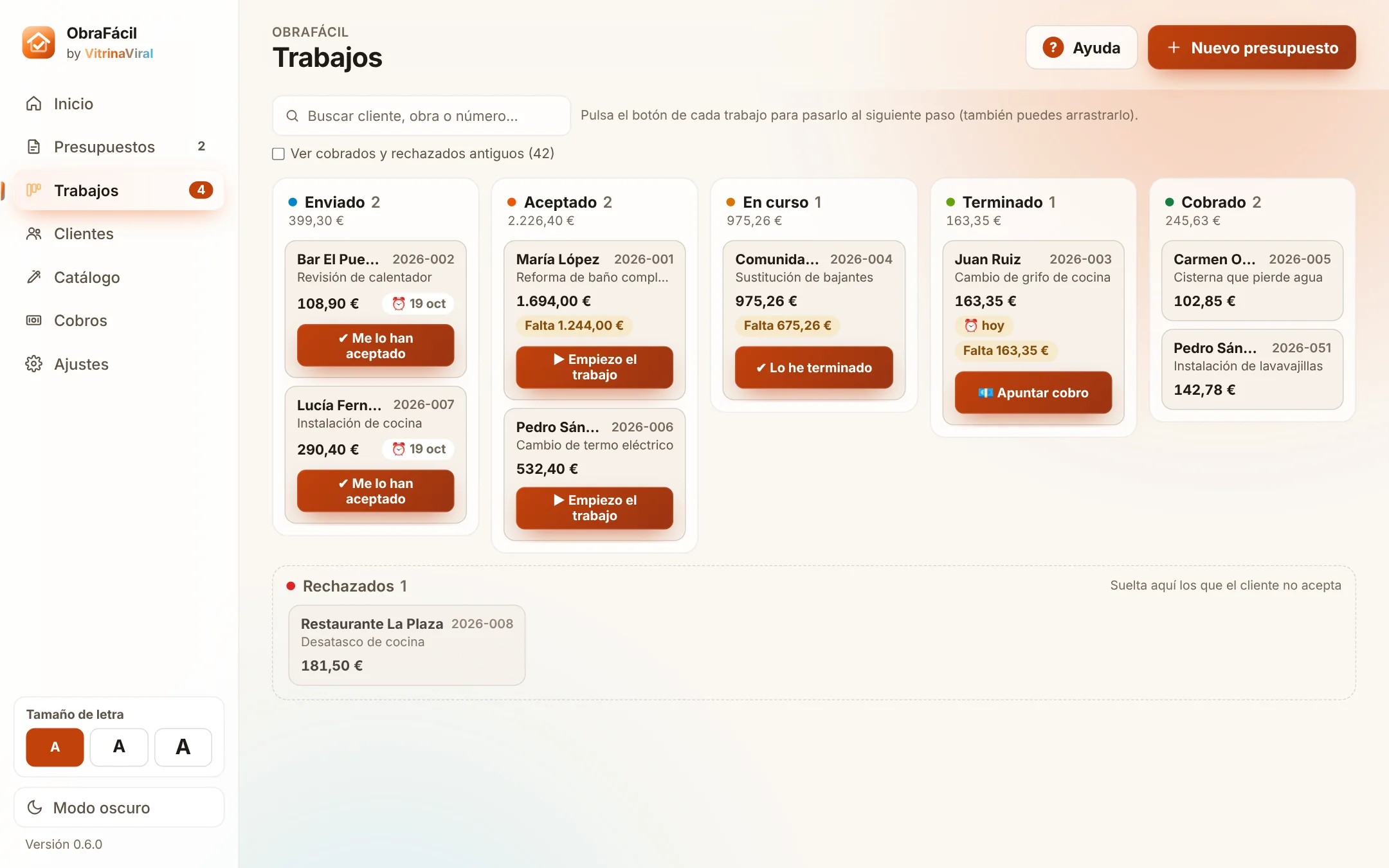
Track every job
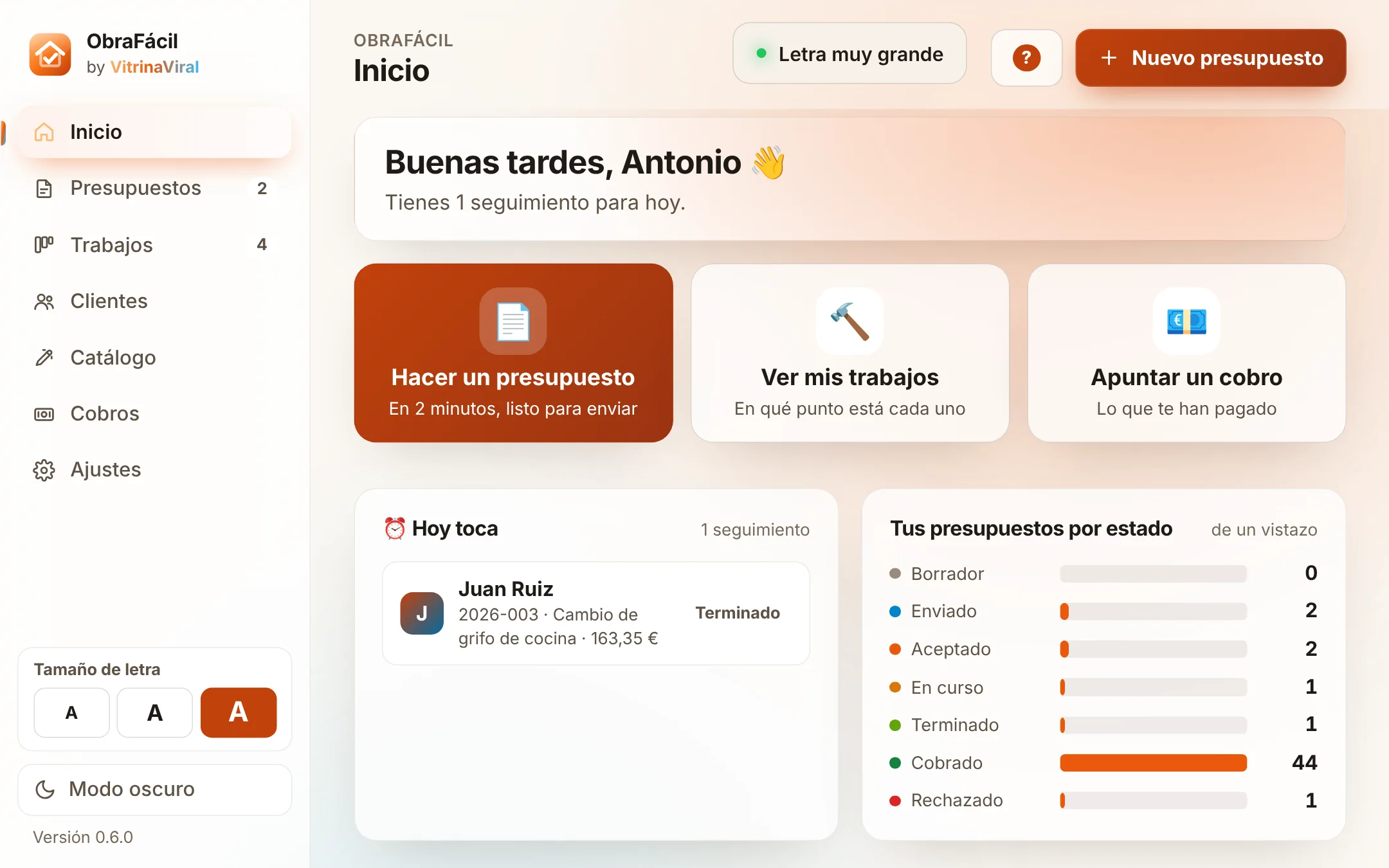
A board with your jobs: Sent, Accepted, In progress, Finished and Paid. Each card has a button for the next step.
- "Due today": who to call or collect payment from today
- WhatsApp messages for every moment: follow-up, start date, payment and thank you
- Notes and history for each job
Get paid and check your numbers
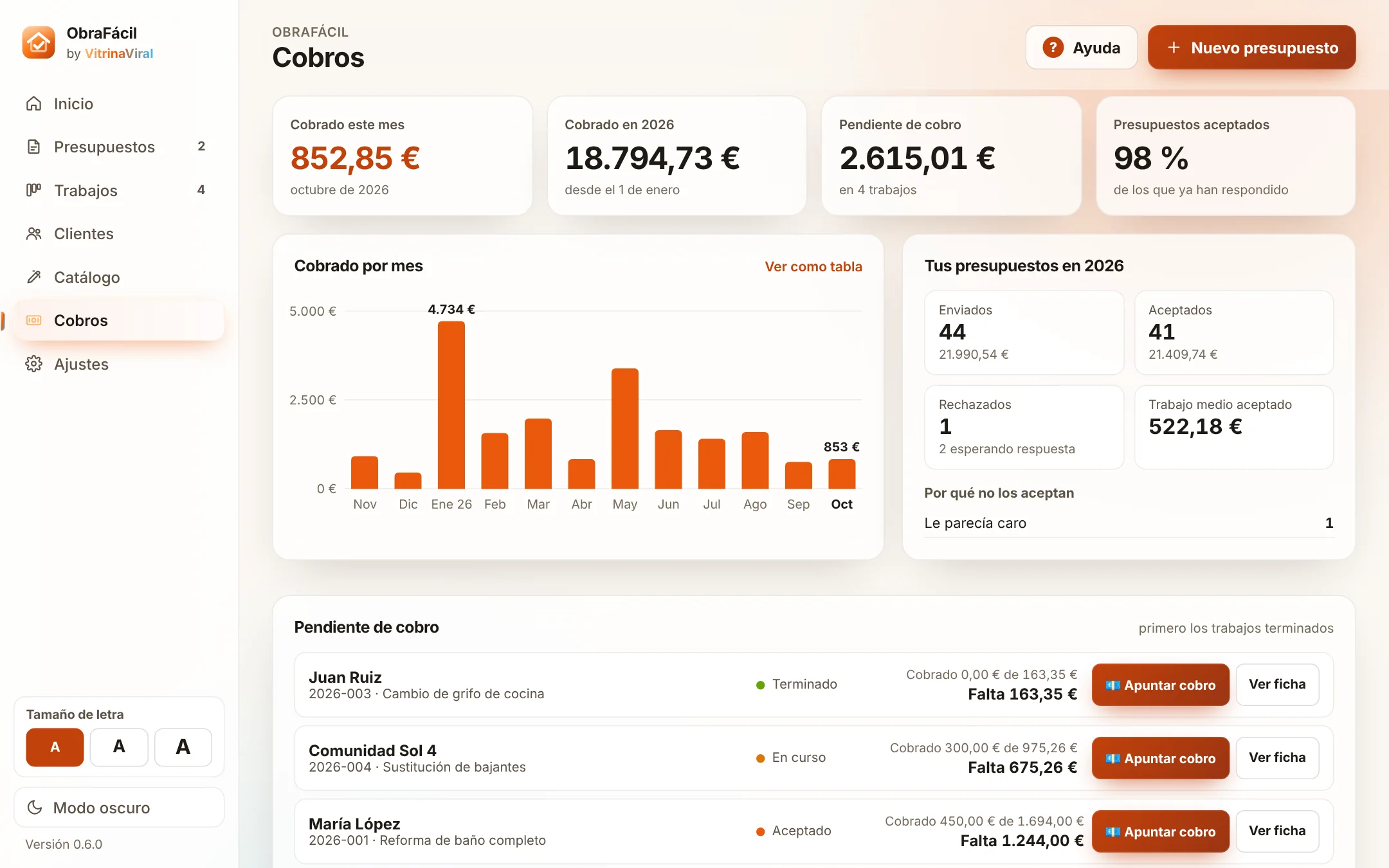
Record what you're paid (in instalments too) and see at a glance what you've collected each month and what you're owed.
- Bizum, bank transfer, cash or card
- Outstanding payments, finished jobs first
- How many quotes get accepted and why they don't
If you can use WhatsApp, you can use ObraFácil
Designed for people who don't want to fight with the computer, whether they're 25 or 65.
- Large text in 3 sizes: the whole app gets bigger
- Big buttons and clear words, no jargon
- Step by step: you always know what comes next
- Undo if you make a mistake, and Help on every screen
- Guided welcome: ready in 1 minute with your details and your trade
One single app for your day-to-day
PDF quotes
With your logo, VAT, discount, deposit and signature box.
WhatsApp and email
The message comes already written; you just attach the PDF and send.
Job catalogue
Examples for plumbing, electrical, renovations, painting and more.
Clients
A card for each client with their quotes and what they owe you.
Reminders
"Due today": never again a forgotten quote with no reply.
Payments
Part payments, outstanding amounts and a chart for each month.
Your data stays yours
Everything is saved on your computer, with backups.
Updates
The app lets you know when there's a new version and updates itself.
Choose your licence
All include the full app and updates while the licence is active. No automatic charges.
1 month
To get started without being tied down.
one-off payment · 1 month
- All features
- 2 computers
- Expires on its own: no automatic renewals
1 year
For a whole year of work.
one-off payment · works out at €6.58/month
- All features
- 2 computers
- Expires on its own: no automatic renewals
Lifetime
Pay once and use it forever.
one-off payment · never expires
- All features
- 2 computers
- Forever, no fees
- Updates included
Questions before deciding? Write to me at [email protected] and I'll answer you myself.
Hi, I'm Faustino
There's no big company behind VitrinaViral: it's just me, from La Zubia (Granada). I make these tools for the self-employed and for people starting their business, so they spend less time on paperwork and more on what they do best.
If you have a question or something isn't working, you write to me and I answer you myself, not a robot.
We answer your questions
How does the free trial work?
Click "Try free for 14 days": the code FREE is already filled in on the checkout page (if it isn't, type it in). You'll receive a licence by email and get the full app for 14 days. When it ends, the app asks you to choose a plan. Nothing is charged automatically.
Do I lose what I did during the trial?
No. Your quotes, clients and payments stay saved on your computer. When you activate a plan, you carry on right where you left off.
Does it make invoices?
No. ObraFácil does quotes, job tracking and payment control. For invoices, use your accountant (gestoría) or invoicing software that complies with the regulations (in Spain, Verifactu). Every PDF states that it's a quote, not an invoice.
I'm not great with computers, will I be able to use it?
That's the idea. You can make the text large, the quote is built step by step, there's a Help button on every screen and an Undo button if you make a mistake. And if you get stuck, write to us.
Which trades is it for?
For anyone who makes quotes: plumbing, electrical, renovations and building work, painting, carpentry, air conditioning, locksmithing, gardening, cleaning, handyman services… It comes with sample jobs for 10 trades, and you add your own.
Does it work on Mac or on mobile?
For now, only on computers with Windows 10 and 11.
Where is my data stored?
On your computer, not on the internet. The app makes backups and you can save a copy to a USB stick or to your email whenever you like.
How do I get the app and the licence?
The licence is sent to you by email right after paying. You download the app here: Download ObraFácil for Windows. Install it, paste the licence and you're done: a welcome guide walks you through it in 1 minute.
How many computers can I use it on?
On 2. If you change computers, deactivate it in Settings → Licence and activate it on the new one.
What happens when the 1-month or 1-year licence expires?
The app will ask you to renew. Your data stays saved on your computer. There are no automatic charges.
What if I'm not convinced?
You have 14 days from purchase to request a full refund, no explanation needed: write to us at [email protected]. When the money is refunded, the licence is deactivated. See conditions.
Do I need internet?
Not to work. Only to send via WhatsApp or email and to check the licence once a day; offline, the app keeps working for up to 7 days.
Less paperwork, more work done
Make your first quote with ObraFácil today.
⬇ Download ObraFácil for Windows (free)